
Choosing how to build your website is as much a strategic business decision as it is a technical one. The platform you choose influences how your team collaborates, how flexible you can be with clients, and how easily your business can scale.
In 2025, most businesses face a clear choice: go with a modern website builder like Crazy Domains Builders or opt for the open-source flexibility of WordPress—two strong contenders for the title of best CMS in 2025.
But the real question isn’t just what these platforms can do; it’s which one actually fits the way your business runs.
This guide breaks down how Crazy Builders and WordPress compare in the areas that matter most: pricing, setup, design capabilities, core features, and marketing tools.
Let’s dive in.
Website Builders vs. WordPress: A Quick Overview
Need a quick side-by-side?
Here’s what sets Website Builders from Crazy Domains apart from WordPress:
Go with Crazy Domains Website Builder if:
- You need to launch quickly without technical blockers: The editor is intuitive and grid-based, so you can build and publish a user-friendly site in under an hour without dealing with file uploads, code editors, and manual updates.
- You don’t want to manage separate tools for hosting, security, and support: Everything runs in one dashboard. SSL, hosting, backups, and customer support are all included. You won’t need to juggle logins or chase third-party services to stay online.
- You want ready-made features that just work out of the box: Tools like contact forms, mobile responsiveness, SEO basics, and analytics come pre-integrated. You don’t need to search for add-ons or worry about compatibility issues.
- You prefer stable, transparent pricing that covers everything: Plans are structured around features and not usage spikes. Your monthly fee includes the essentials, so you won’t incur any unexpected charges for bandwidth, storage, or routine maintenance.
Choose WordPress if:
- You have the technical skill to manage a site from the ground up: WordPress gives you full access to theme files, backend code, and advanced settings. You’ll need to configure your own hosting, domain, and plugin stack, which requires familiarity with the platform and troubleshooting know-how.
- You’re building a site with custom workflows or advanced integrations: If your site needs gated content, multi-language support, API connections, or e-commerce with custom checkout logic, WordPress gives you that depth of flexibility.
- You want complete control over every tool and provider you use: Unlike bundled builders, WordPress leaves every decision in your hands—from where you host to how you secure your site. This setup suits teams who want to optimise each component for speed, budget, or regional compliance.
- You’re managing a content-heavy platform with frequent publishing: WordPress was built for scale. Its editor, category system, and media management tools are ideal if you’re running a blog, news portal, or resource library that grows daily.
Factor #1: Best for Pricing: Depends on How You Want to Build
Crazy Domains Website Builder and WordPress follow completely different pricing structures. One wraps everything into a single plan, while the other gives you full control over each piece but also puts the responsibility on you to manage it all.
How Much Does WordPress Actually Cost?
WordPress itself doesn’t charge you to use its core CMS, but you’ll need to budget for everything else that makes a site live and functional. Think hosting, domain, themes, and plugins—each with its own provider and pricing.
Here’s what you’ll need to account for:
What You Need |
Average Cost |
Why It Matters |
| Domain Name | NA | The custom address people type to reach your site |
| Hosting | Starts from $35/month | Stores your website files and keeps your site online |
| Themes | Free to premium themes | Controls layout, style, and structure |
| Plugins | Free–$36/month | Adds specific functions like forms, SEO tools, backups |
If you prefer to shop around for hosting deals, handpick your plugins, and keep each element separate, WordPress gives you that flexibility. But it also means more moving parts to manage and more tools to keep updated.
Pro tip: Look for hosting providers that bundle in extras like a domain, SSL, and backups. That can simplify setup and save you money long term. Just make sure the server performance holds up when your traffic grows.
How Much Does Crazy Domains Website Builder Cost?
With Crazy Domains, the pricing model is all-in. You choose a plan, and everything you need—builder tools, hosting, domain, security, and support—is already baked in.
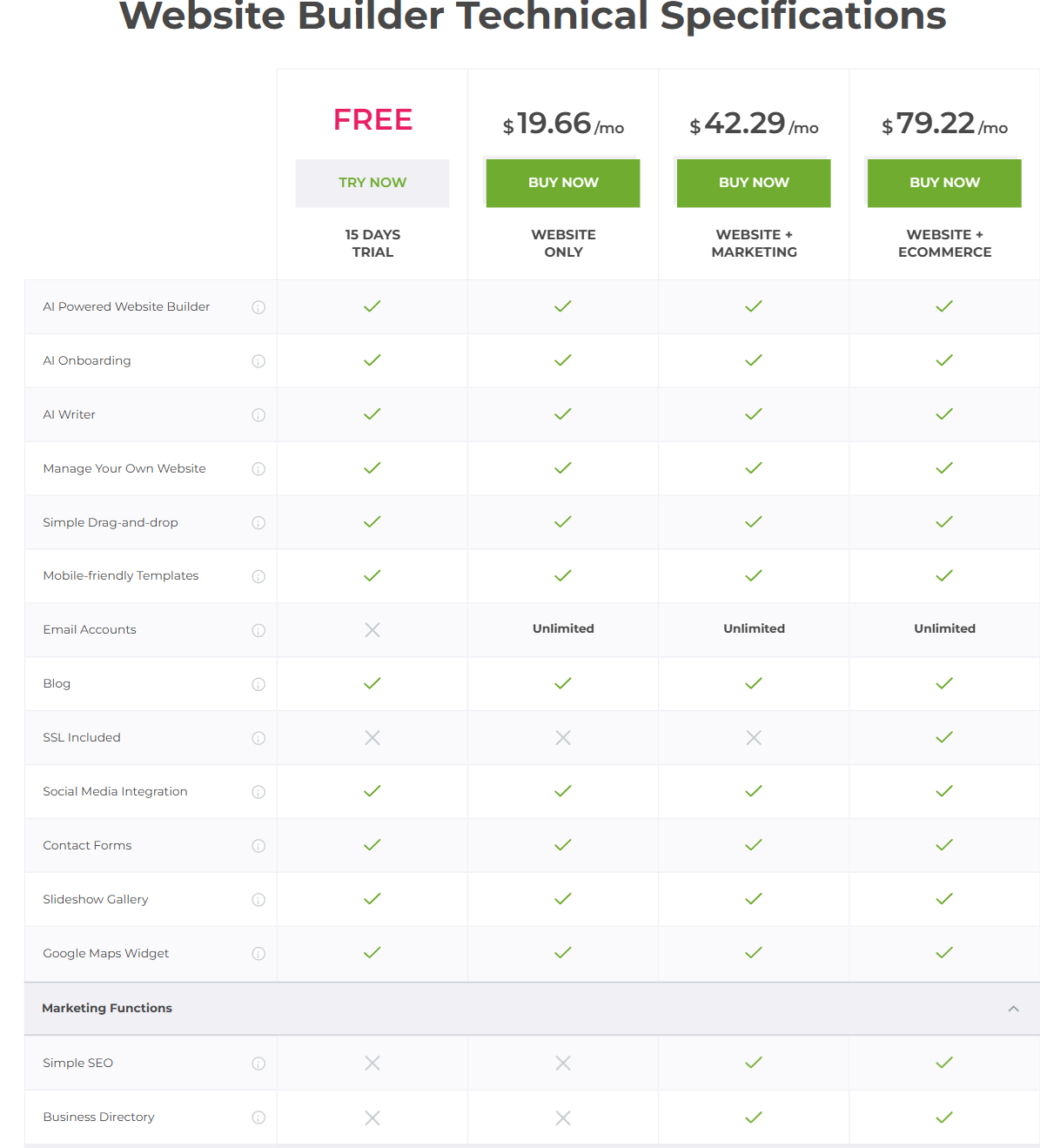
Here’s a snapshot of the different pricing plans:
Plan Name |
Monthly Price (billed annually) |
NAWhat You Get |
| Free | $0 | 15 days trial available |
| Website Only | $16.09/mo | Drag-and-drop builder, mobile-optimised layout, basic SEO tools |
| Website + Marketing | $38.13/mo | Everything in Basic, plus custom domains, form builder, and extra storage |
| Website + Ecommerce | $59.57/mo | Adds eCommerce tools, advanced design flexibility, and multi-page support |
The plans are designed for small business owners who want predictability. You won’t have to track five vendors or patch things together as you go. Everything lives in one dashboard and works right out of the box.
Worth Knowing: You can try the builder for free before committing to a paid plan. But just like with any freemium tool, your domain will show Crazy Domains branding and ads until you upgrade. If your site represents your business, go with a custom domain from day one.
The verdict: If you want full control over your tech stack and are comfortable setting everything up yourself, WordPress remains a strong contender for the best CMS in 2025, letting you choose every component and fine-tune the costs.
However, if you’d rather have a complete, secure site up in one day without worrying about plugins and hosting, Crazy Domains Website Builder offers real value through simplicity and speed.
Factor #2: Best for Setup: Crazy Domains Takes the Lead
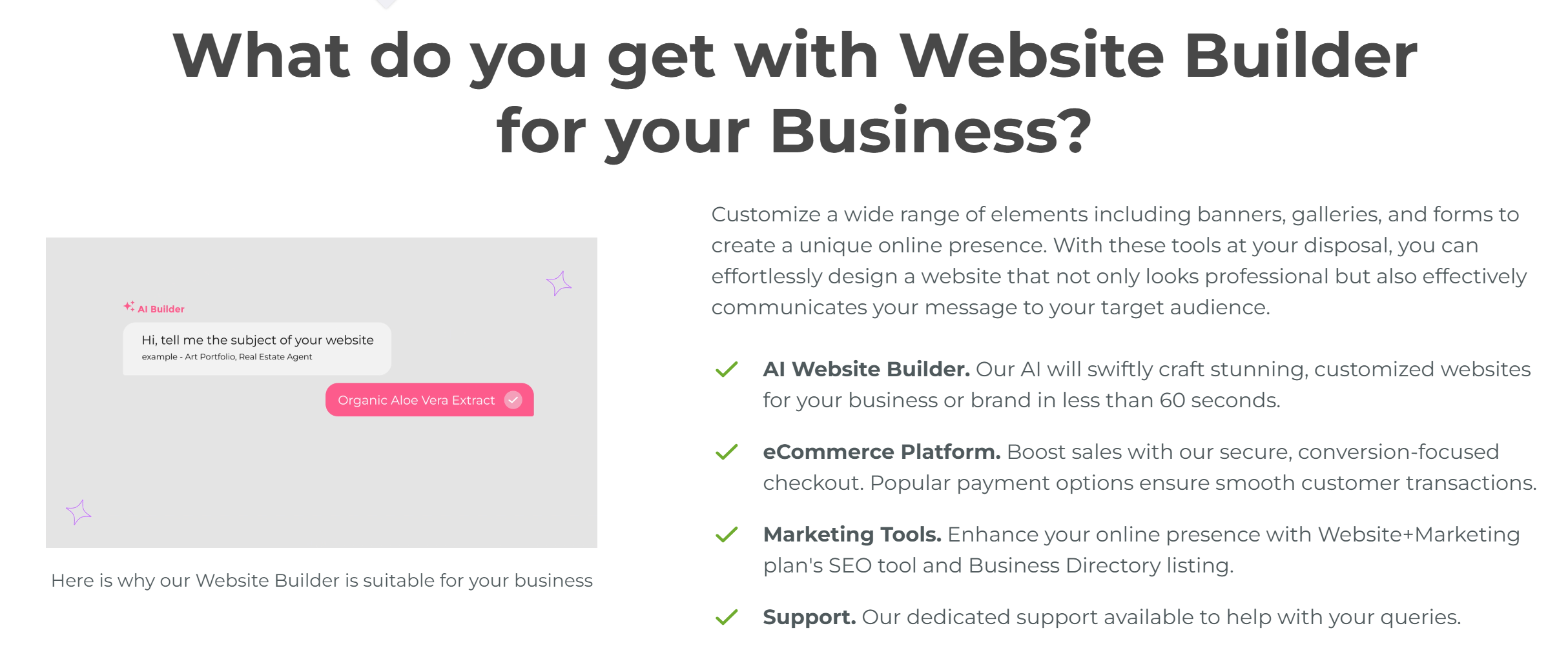
Crazy Domains makes setup faster and more straightforward than WordPress. If you’re building a website and don’t want to spend your first few hours connecting tools, Crazy Domains gets you moving straight out of the gate. You pick a plan, log in, and start editing your site right away.
Setting Up with Crazy Domains
- Ready-made templates: Choose from a wide range of templates designed for various business types.
- Simple customisation: Edit content, rearrange sections, and add images effortlessly with drag-and-drop tools.
- Version history: Easily undo mistakes by restoring previous versions of your site.
- AI-powered copy assistance: Quickly generate placeholder text to fill your pages, helping you stay productive when short on time.
- All-in-one dashboard: Manage your hosting, design, and content from one place:
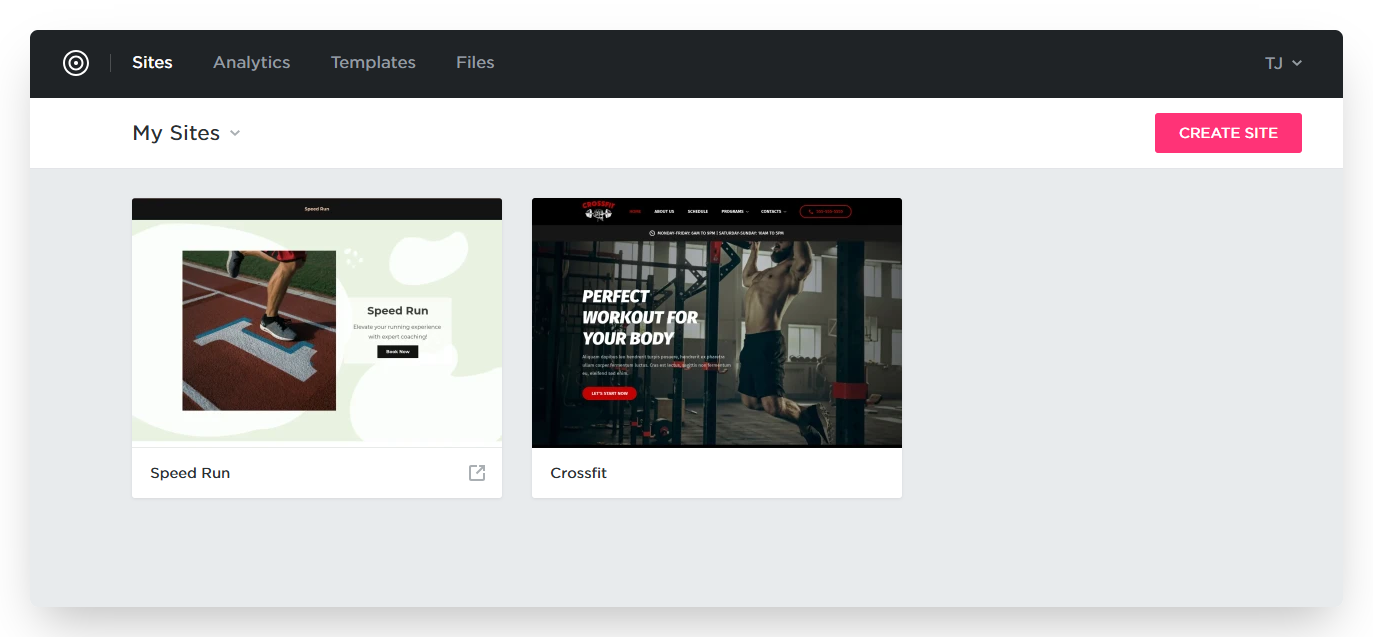
The interface doesn’t expect you to learn new skills or search for extra apps to fill in the gaps.
Setting Up with WordPress
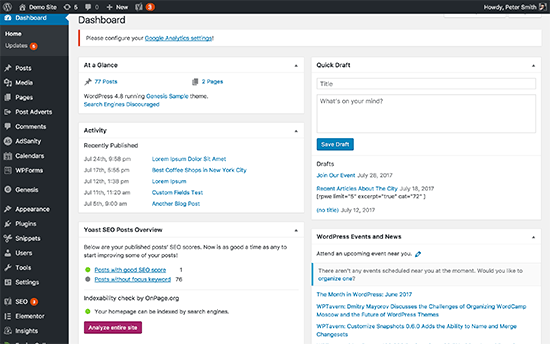
WordPress delivers flexibility but demands a more hands-on approach, especially during the initial build phase.
- Multiple steps: You’ll need to buy hosting and domain, install WordPress, pick a theme, and add plugins. Some hosts offer one-click WordPress installation but you still handle configuration.
- No visual editor by default: To get drag-and-drop design, install plugins like Elementor or Visual Composer, which require additional setup and maintenance.
- Learning curve: While coding isn’t mandatory, understanding the CMS is essential to navigate setup and customisation effectively.
- More responsibility: You’re in charge of selecting and updating every element, from themes to plugins, which extends setup time.
The verdict: If you need to set up a site online quickly without wasting time on searching for add-ons and learning new systems, Crazy Domains is the better choice. It offers a guided experience with everything included, so you spend less time on setup and more on your business.
Factor #3: Best for Design Flexibility: Tie
If you want speed and convenience, Crazy Domains gets the job done. You’ll have a live site up rather quickly, and it’ll look customised enough to represent your business. But if brand identity matters long-term and you expect to grow, WordPress gives you the tools to do that:
Feature |
Crazy Domains Website Builder |
WordPress (Self-hosted) |
| Template Variety | Limited library (approx. 100–200), tailored to local businesses like tradies, salons, and cafés. | Thousands of themes (free & premium) across all industries, from niche blogs to global ecommerce. |
| Design Customization | Basic. You can change images, text, and section layouts. Layout structure is mostly locked. | Advanced. Full access to CSS, HTML, and theme files for deep customization. |
| Template Switching (After Publish) | Not supported. You’ll need to rebuild the entire site if you want to change layout. | Fully supported. Change themes anytime without affecting core content. |
| Code Access | Not available. 100% drag-and-drop with limited flexibility. | Full code control. Ideal for devs, designers, or anyone working with an agency. |
| Mobile Optimisation | Templates are responsive but may need manual adjustment on mobile view. | Most modern themes are mobile-first or fully responsive out of the box. |
| Design Workflow Speed | Very fast. Pick a template, drop in content, publish within an hour. | Slower setup. More choices, more settings. Better suited for those with a vision. |
| Design Ownership | You design within their ecosystem. Exporting or migrating design is not possible. | You fully own and control the design. You can move your theme, content, or even switch hosts. |
| Visual Editor | Beginner-friendly WYSIWYG editor. Works well for non-technical users. | Depends on the theme. Gutenberg (block editor) is native, or use builders like Elementor for visual editing. |
| Theme Security & Updates | Managed internally. You don’t worry about theme updates or conflicts. | You’re responsible. Need to choose secure themes and manage updates to avoid vulnerabilities. |
| Design Scalability | Limited. Works best for small sites that won’t change much over time. | High. Design can scale with your business — from blog to online store to membership platform. |
| Third-party Design Integrations | Very few. No direct support for external design tools or plugins. | Extensive. Supports third-party builders, UI kits, fonts, animations, and more. |
| Best For | Quick, simple websites for small service businesses needing a fast online presence. | Brands that plan to scale, need unique design elements, or want full creative control. |
The verdict: Choose Crazy Domains if you want a clean, quick launch without endless ongoing design changes. But go with WordPress if you’re investing in a site that needs to adapt, expand, and integrate with more advanced tools down the line.
Factor #4: Best for Key Features: WordPress vs Crazy Domains Website Builder
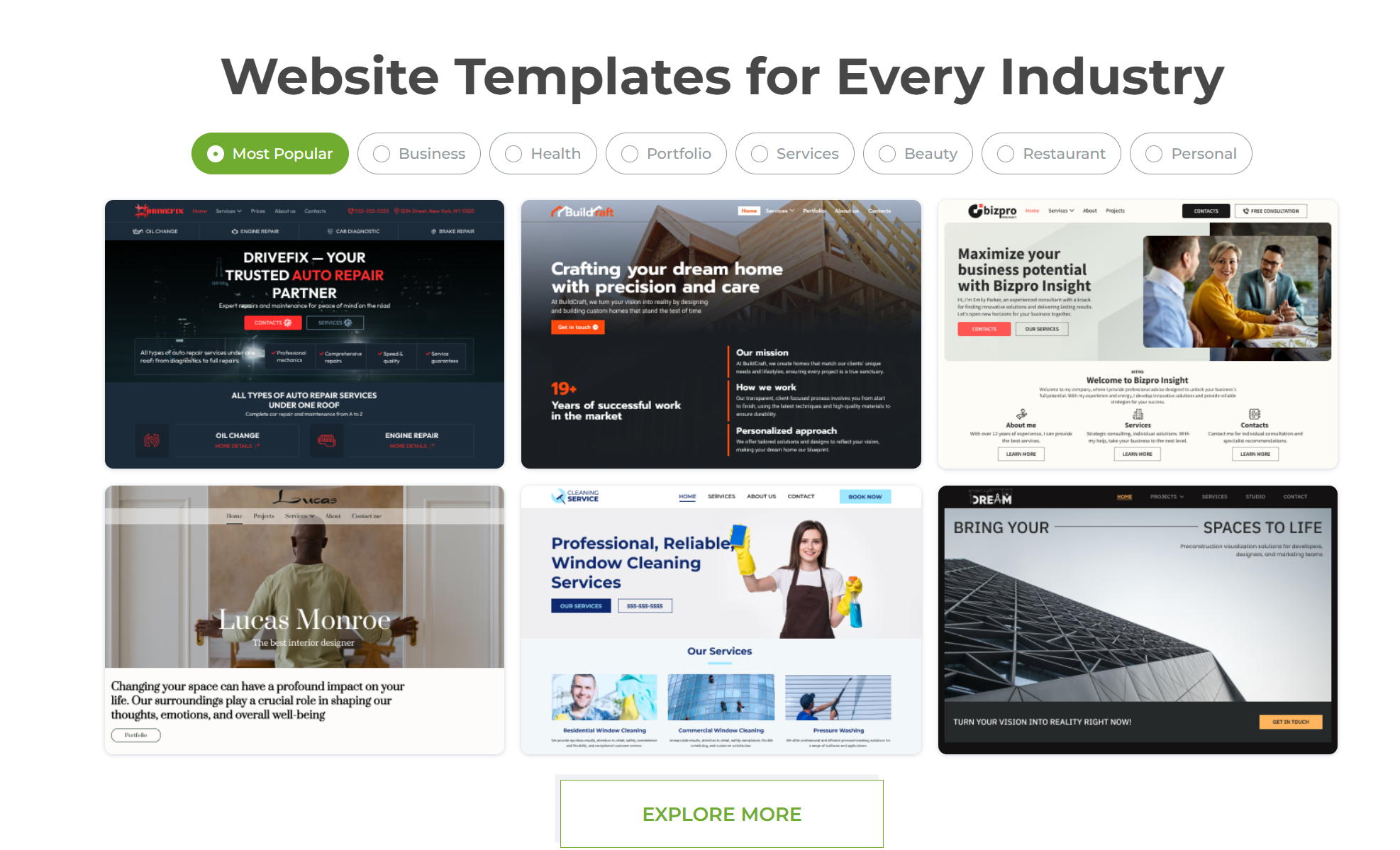
WordPress gives you the long-term flexibility your site will eventually need.
Crazy Domains makes sense if you want quick wins with fewer moving parts.
Feature Category |
Crazy Domains Website Builder |
WordPress (with Plugins) |
| Build Process | AI handles the initial setup. You answer a few prompts and get a personalised layout in under 60 seconds. Perfect if you want something live today. | Setup depends on you. Choose hosting, install WordPress, pick a theme, and configure plugins. You build everything step-by-step. |
| Ease of Use | Fully guided. AI-generated content, drag-and-drop editor, and pre-built elements like banners, galleries, and contact forms. No learning curve. | WordPress is flexible but not beginner-proof. You’ll need time to understand the dashboard, plugin behavior, and theme dependencies. |
| AI Integration | Built-in AI Website Builder + AI Writer to generate content for your homepage, marketing, and even blog copy. | Third-party plugins like Bertha.ai or ChatGPT-powered tools exist, but integration isn’t native and often paid separately. |
| Design Customization | You can quickly edit layouts, swap out content, and customize templates for industries like beauty, services, restaurants, and portfolios. | You have full control over code, styling, and structure. Ideal if you have developer support or want to hire one. |
| Ecommerce Capabilities | Built-in platform for selling products or services. Includes product pages, order management, shipping settings, and checkout tools. Available in Website + eCommerce plan. | WooCommerce powers ecommerce on WordPress. It requires setup but supports everything from digital downloads to inventory tracking, tax automation, and POS systems. |
| Content Management | Unlimited pages and a built-in blog. Easily add new content sections using drag-and-drop modules. | Industry-standard CMS. Rich blogging experience, strong editorial tools, media libraries, and bulk content import/export. |
| Mobile Optimisation | Templates are mobile-friendly by default. No extra configuration required. | Most modern themes are responsive, but some require extra work or plugins to look great on mobile. |
| SEO & Marketing Tools | Comes with SEO tools and optional Business Directory listing (included in Website + Marketing plan). Easy for small businesses looking to get found online. | Yoast, Rank Math, and All in One SEO offer deep control, including schema markup, XML sitemaps, and SERP previews. |
| Plugin Ecosystem | Curated experience. No plugin installation needed. All features are included within your plan and are designed to work together. | 59,000+ plugins available. Pick and choose what you need, but you’re responsible for vetting, compatibility, and updates. |
| Security | SSL certificate included. Hosting, software, and backups are managed for you. No manual tasks. | You manage your own hosting and security. You’ll need to install plugins for malware scanning, backups, and firewalls. |
| Support | Centralised support. Reach out for help with setup, features, or troubleshooting. Ideal for non-technical users. | Community forums are rich with knowledge. Premium themes or plugins come with their own support, but it’s often fragmented. |
The verdict: With Crazy Domains Website Builder, you get a professional, AI-driven website in minutes with ecommerce and blog features built in. It is best for small businesses that value simplicity and don’t want to think about software updates, plugin conflicts, and hosting.
It is a great fit for freelancers, service providers, and first-time site owners. WordPress is better suited for users who want complete control and long-term extensibility. You’ll need more time and possibly technical help, but the payoff is total ownership and advanced functionality.
Factor #5: Best for Marketing: Depends on Your Priorities
This comes down to how you want to work. If you want automation, speed, and beginner-friendly tools, Crazy Domains Website Builder gets the job done with minimal input. If you need control over every marketing touchpoint—from technical SEO to content funnels—WordPress, often considered the best CMS in 2025, will give you the tools to do just that.
Below, we break down the key marketing areas that matter most.
SEO (Search Engine Optimisation)
Crazy Domains Website Builder:
- Pre-built with SEO basics active by default
- Meta tags, alt text, and mobile-ready pages already baked into templates
- SSL enabled across all plans to support Google’s site security preferences
- AI website creation helps generate keyword-aligned content quickly
- SEO settings are simplified for those who don’t want to dig into code
If you’re looking for a platform where SEO just works without requiring any manual configuration, Crazy Domains removes that overhead.
WordPress:
- Total SEO control, but it demands experience
- SEO success depends on plugin selection (e.g., Yoast, Rank Math, All in One SEO)
- You’ll need to manage site speed, sitemaps, and URL structures
- Plugin updates and site optimisation are your responsibility
- Ideal for those who know how to audit and improve performance over time
Use WordPress if you or your team have the technical skill (or a consultant on hand).
Questions to ask yourself:
- Do I want to manage my SEO or let the platform handle it?
- Will I be optimising content on a regular basis?
- Do I plan to scale into international markets or compete on search globally?
Email Marketing
Crazy Domains Website Builder:
- Marketing features available in Website+Marketing plans
- AI Writer helps generate quick campaign content
- Designed for simplicity: easy to create and send basic campaigns
- Useful for small businesses needing built-in tools, not external providers
You won’t get enterprise-level automation, but you won’t waste time integrating third-party services either.
WordPress:
- No built-in email tool, but hundreds of plugin options
- Integrates with platforms like Mailchimp, MailPoet, Sendinblue, ConvertKit
- Full control over automation, segmentation, and list management
- Performance and deliverability depend on your hosting and plugin setup
If you want full control of your email marketing stack and plan to scale your campaigns over time, WordPress is a stronger fit.
Questions to ask yourself:
- Do I want email features inside my website builder?
- Am I already using or planning to use a CRM or email platform?
- Do I need automated email sequences and advanced segmentation?
Blogging and Content Marketing
Crazy Domains Website Builder:
- Clean, minimal blog functionality
- Write, publish, and categorise posts easily
- Add images, embed media, and apply SEO best practices
- AI Writer helps generate blog copy quickly if you’re short on time
This is ideal for businesses that need a blog for updates or SEO support but don’t rely on it as a core content strategy.
WordPress
- Industry-leading blogging platform built for scale
- Custom categories, tags, post scheduling, private posts, featured images
- Easily extendable with plugins for readability analysis, SEO scoring, and editorial workflow
- Multiauthor support and strong commenting systems for engagement
Choose WordPress if blogging is central to your lead generation or brand strategy.
Questions to ask yourself:
- Is my blog a support tool or a major driver of traffic?
- Do I plan to publish frequently?
- Will I need multiple writers or post-level control?
Final Take: Which Platform Makes More Business Sense in 2025?
Choosing between Crazy Domains Website Builder and WordPress isn’t just about features. It’s about how you want to run your digital operations day to day.
If you want to launch quickly and avoid tech headaches, Crazy Domains offers everything in one place—no plugins, no surprise updates, just simple tools and predictable pricing. It’s perfect for businesses that need a website that works without getting in the way.
But if you need more flexibility, complex integrations, or room to scale, WordPress is the better fit. It takes more setup and maintenance, but you get full control over design, features, and data.
So, don’t decide based on what’s popular. Decide based on how you work, how much time you want to spend on tech, and how far you plan to grow.
In 2025, simplicity and speed still win—but only if they match how your business actually runs!
FAQs
What is a website builder?
A website builder is a DIY platform that allows users to create professional websites without coding. It includes drag-and-drop tools, mobile-optimised templates, domain integration, and AI content generation.
Why is a website important?
A website provides a digital presence, supports brand credibility, increases reach, and enables online transactions or inquiries around the clock.
Can an existing domain name be used?
Yes. Existing domain names can be connected to the website builder platform during setup.
Is it possible to build more than one website?
Multiple websites can be created and managed under the same account, depending on the selected plan.
Does the platform support eCommerce?
Yes. eCommerce functionality is available, allowing product listings, order tracking, payment integration, and shipping management.
What options are available for promoting a website?
Built-in SEO tools, blog features, and marketing integrations such as business directory listings and social sharing help improve visibility.
What are the benefits of AI-generated content?
AI tools streamline content creation by producing targeted, professional copy for pages, blogs, products, and marketing campaigns.
How does the AI Writer function?
The AI Writer generates content based on input provided about the business, automatically producing relevant and optimised copy.
What is the uptime commitment for hosting and storage?
Hosting infrastructure offers reliable uptime supported by secure servers. Specific uptime guarantees may vary by plan and provider.